
Release Notes 2023/11
28.06.2023
Enhancements
Launchpad
- The options to send messages to Android or iOS devices within the Notifications settings is no longer available
- An exception is the "Tracking - Slot Update" area
This functionality does not exist at the moment.
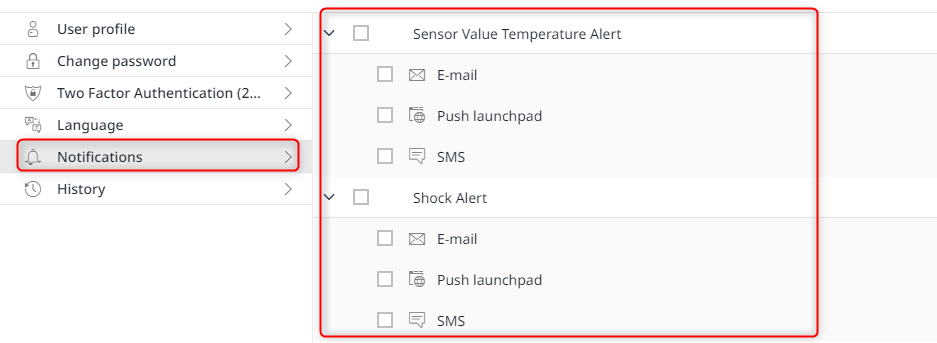
Notification options (exemplary representation)
System Administration
Companies
- As an invoice creator, you now have the option of being able to see the totals per week (Eventscount) within the worklist at first glance
Advantage: Reduced workload in invoicing.
Masterdata
Teams
- When deleting a team, the associated one-time links are now removed at the same time
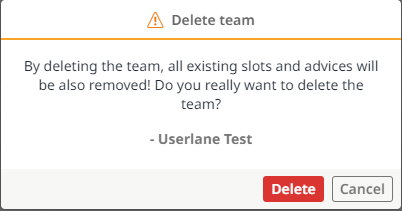
Message when deleting a team
Connectivity Service
- When creating an endpoint, the selection of sites has been optimized to enable faster and easier queries
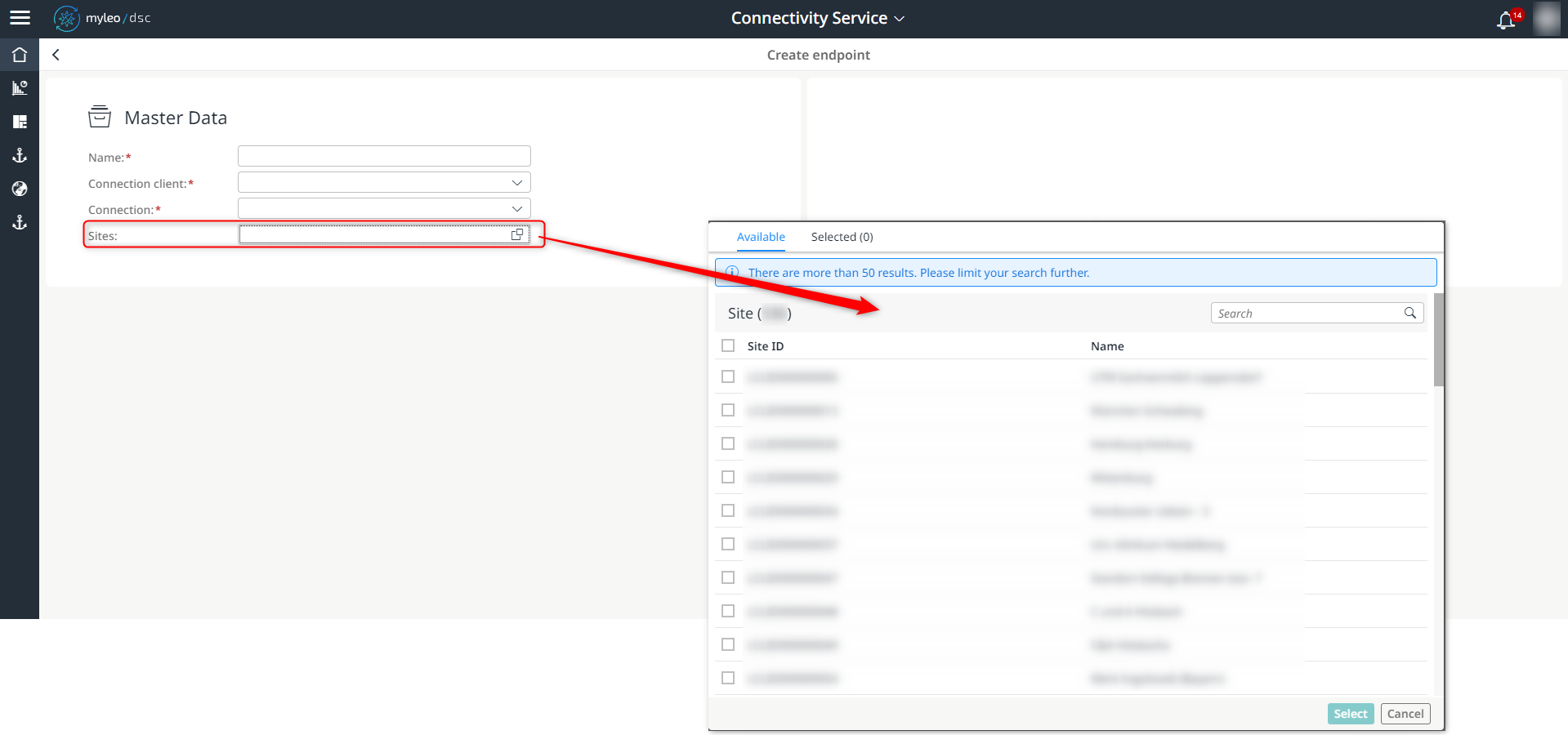
Selection of sites when creating an endpoint
Slot Booking Administration
Booking Calendar
- One-time links can now also be removed individually from a booking
Only the one-time links that have not yet been booked can be removed.
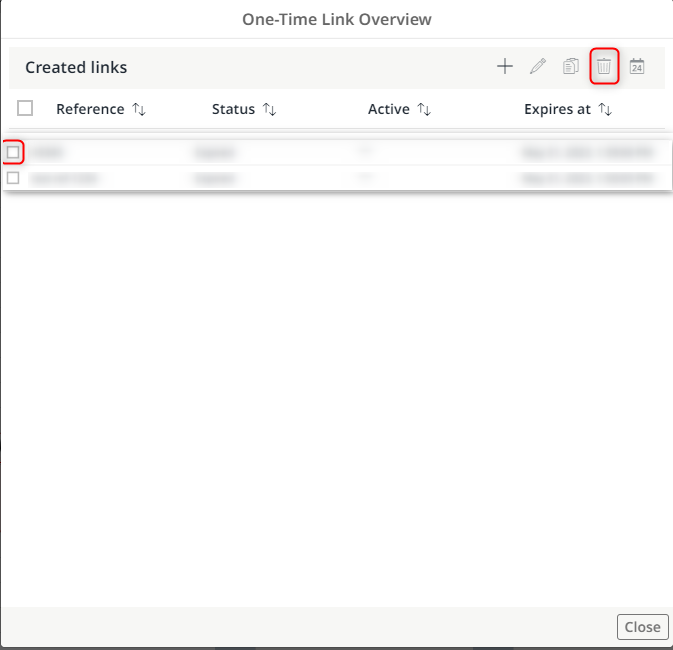
Selection of the one-time link to be removed
Booking List
- The display of the number of bookings will be limited to a maximum of 200 entries with immediate effect
- In the case of more than 200 entries, "200+" is displayed as a lump sum
- It is now possible to filter the contents within the columns
- For this, the number of bookings must be less than 201 entries

Display of the bookings

Possibility of filtering the entries (in case of less than 200 entries)
Serial Bookings
- The display of the number of serial bookings will be limited to a maximum of 200 entries with immediate effect
- In the case of more than 200 entries, "200+" is displayed as a lump sum
- It is now possible to filter the contents within the columns
- For this, the number of serial bookings must be less than 201 entries

Changes within the Serial Bookings App
Shipment Planning
- The display of the number of transports will be limited to a maximum of 200 entries with immediate effect
- In the case of more than 200 entries, "200+" is displayed as a lump sum
- It is now possible to filter the contents within the columns
- For this, the number of transports must be less than 201 entries
- The numerical display of unbooked, suggested and booked transports has been removed
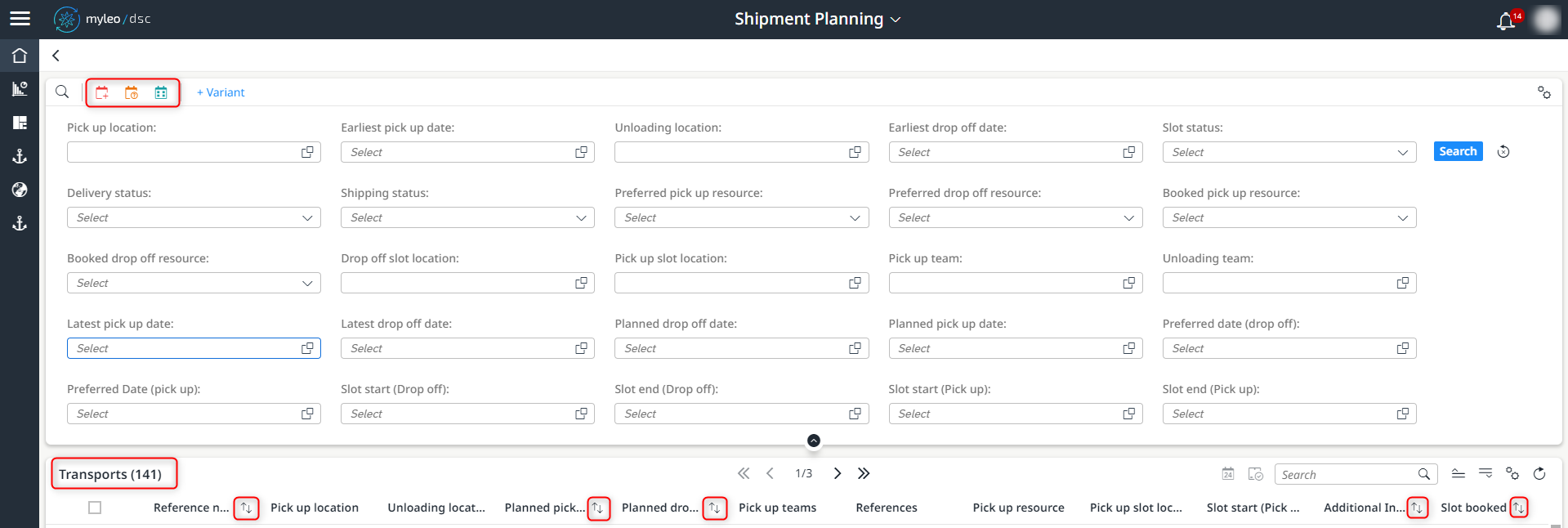
Changes within the Shipment Planning app
Shipment Planning
- The standard view within the shipment planning app has been adapted and optimized

New optimized order within the standard view
Track and Trace
Deliveries
- From the detail view of a delivery, it is now possible to jump directly to an associated ticket
- The detail view of the ticket opens in a new tab
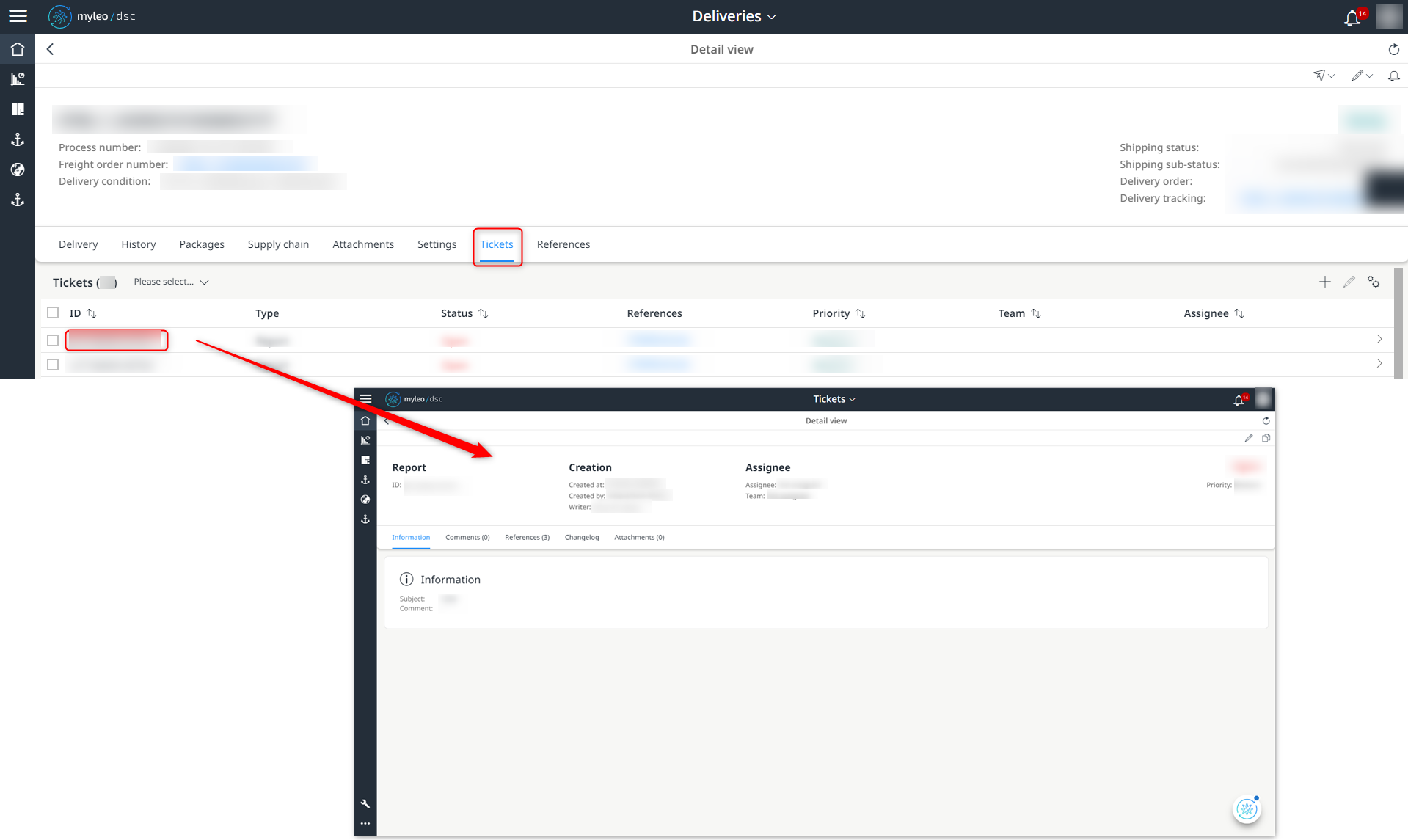
Jump to the detail view of the ticket
This allows faster access to the details of a ticket.
Deliveries
- A ticket can now also refer to several deliveries
- The referenced deliveries or freight orders are now displayed in summary form
Advantage: Making work easier when creating tickets that refer to several deliveries.
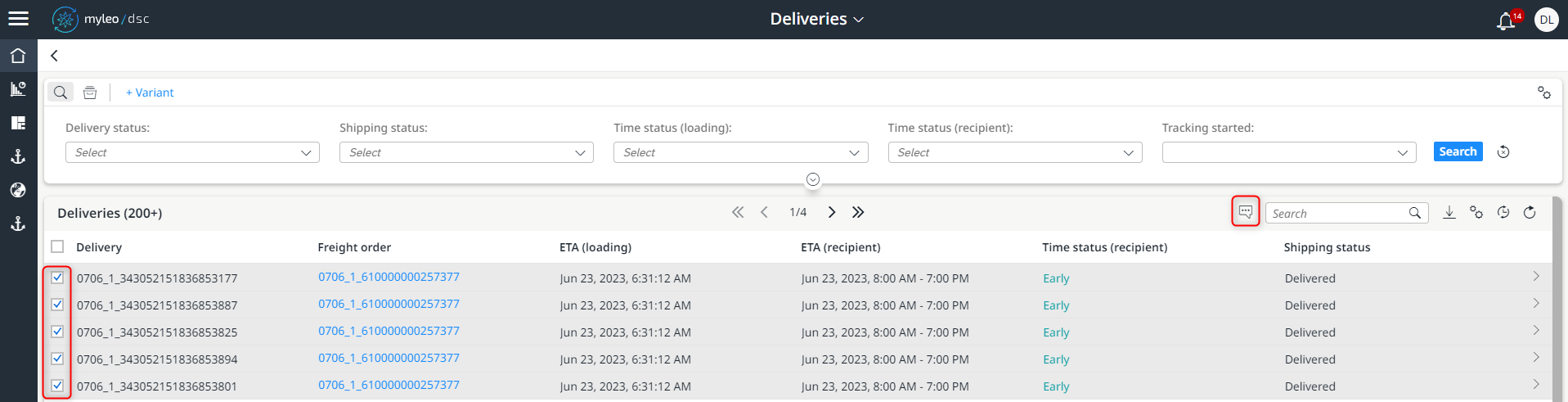
Creation of a ticket that refers to several deliveries
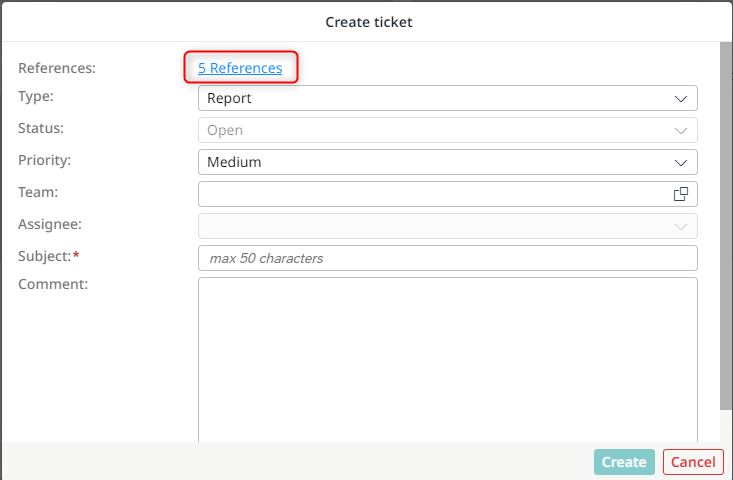
Representation of the referenced deliveries or freight orders
Freight Orders
- Tickets can now be added to a delivery in a simplified way

Add a ticket to an existing delivery
Freight Orders
- When creating or editing a ticket, the corresponding references (deliveries / freight orders) are now displayed together and can be opened directly via a link
- The option "Create more tickets" is no longer available when creating a new ticket
- After a ticket has been successfully created or processed, an additional message is transmitted
- The ticket can be opened directly via a link
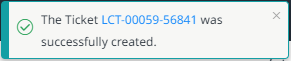
Message regarding the successful creation of a new ticket

Message regarding the successful editing of a ticket
Freight Orders
- From the detail view of a freight order, it is now possible to jump directly to an associated ticket
- The detail view of the ticket opens in a new tab
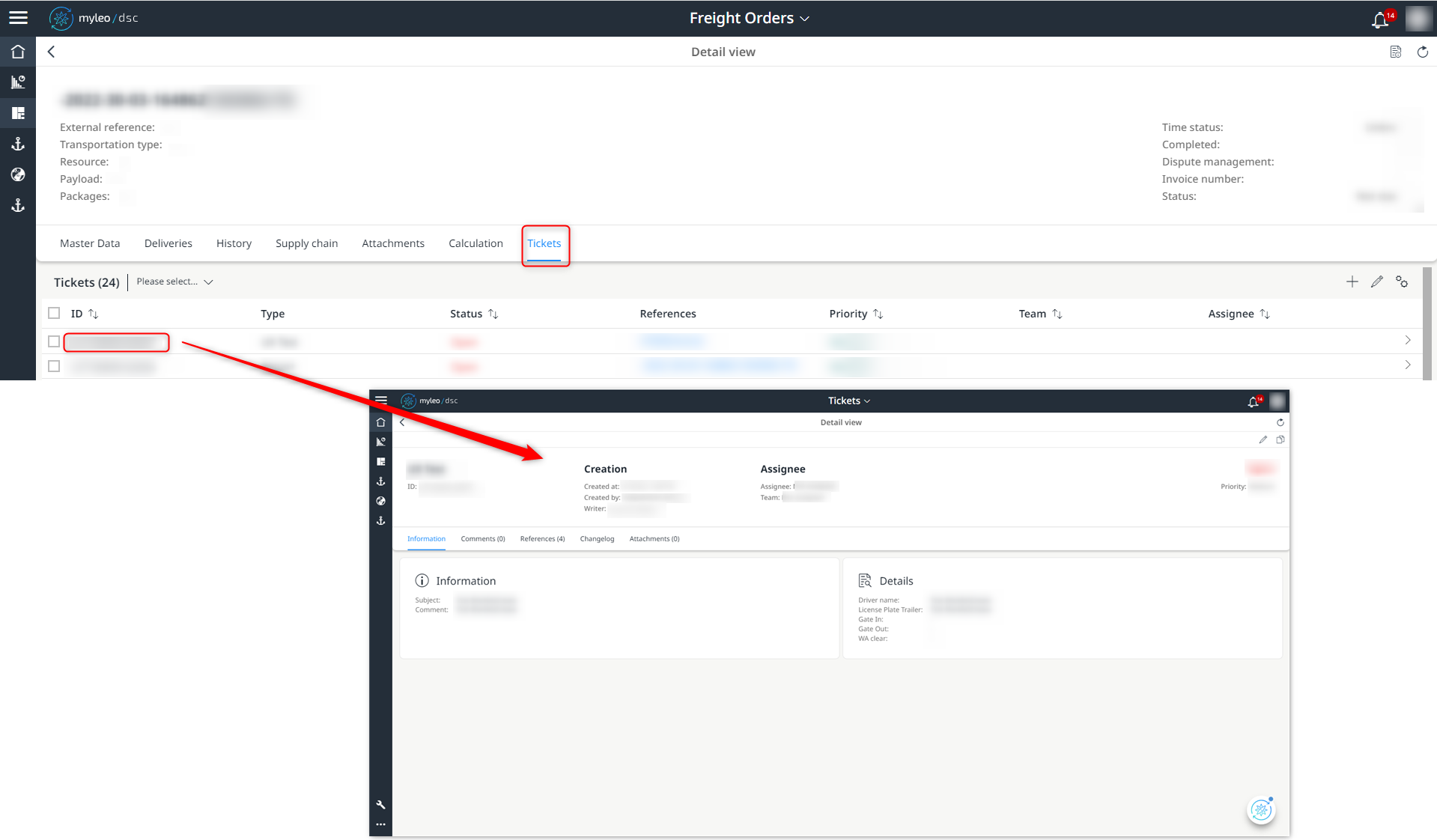
Jump to the detail view of the ticket
This allows faster access to the details of a ticket.
Freight Orders
- The execution status of a freight order is now transmitted directly from the TM to the myleo / dsc

Display of the transmitted status
Freight Orders
- A ticket can now also refer to several freight orders
- The referenced deliveries or freight orders are now displayed in summary form
Benefit: Reduced workload when creating tickets that relate to multiple freight orders.
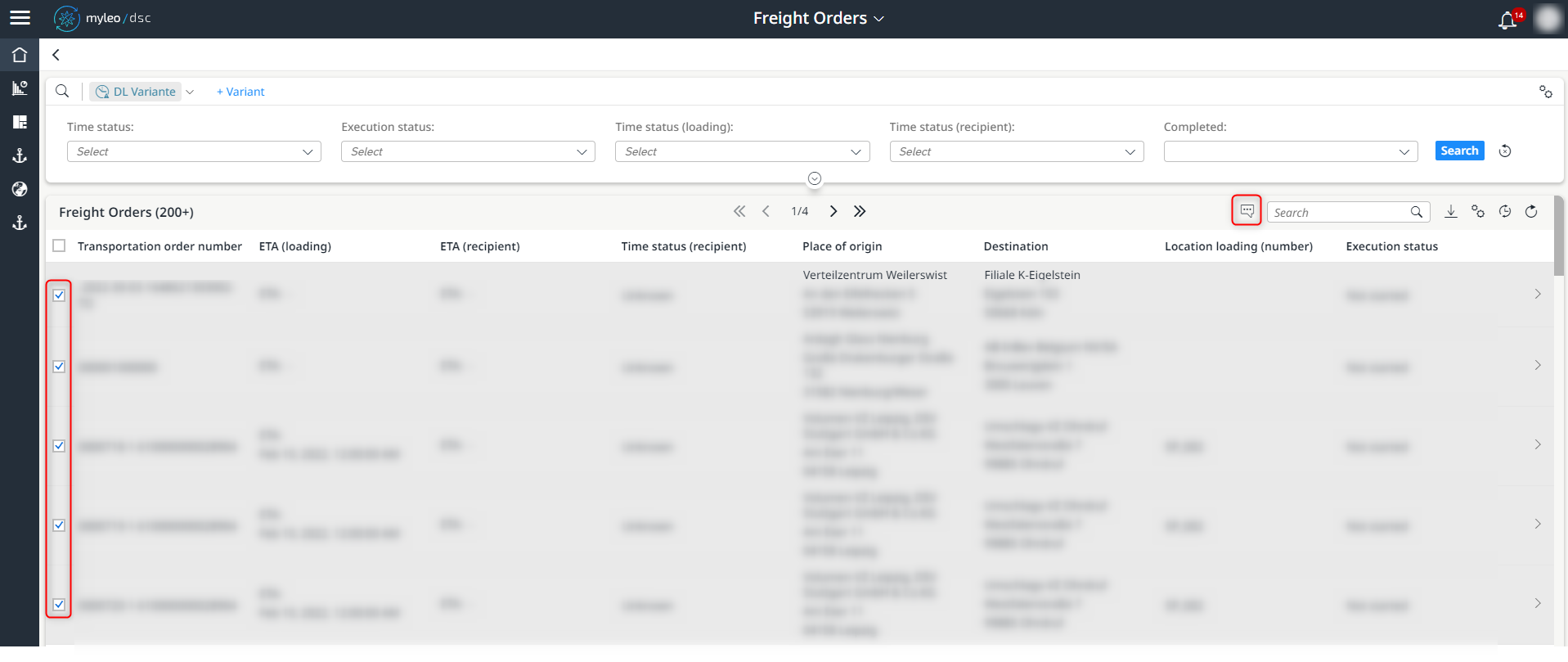
Creation of a ticket that refers to several freight orders
Representation of the referenced deliveries or freight orders
Failed Reports
- The number of entries in the worklist has been limited to a maximum of 200 entries
- In the case of more than 200 entries, "200+" is displayed as a lump sum
- The latest entry is displayed in the top position
The change enables faster loading of the worklist.
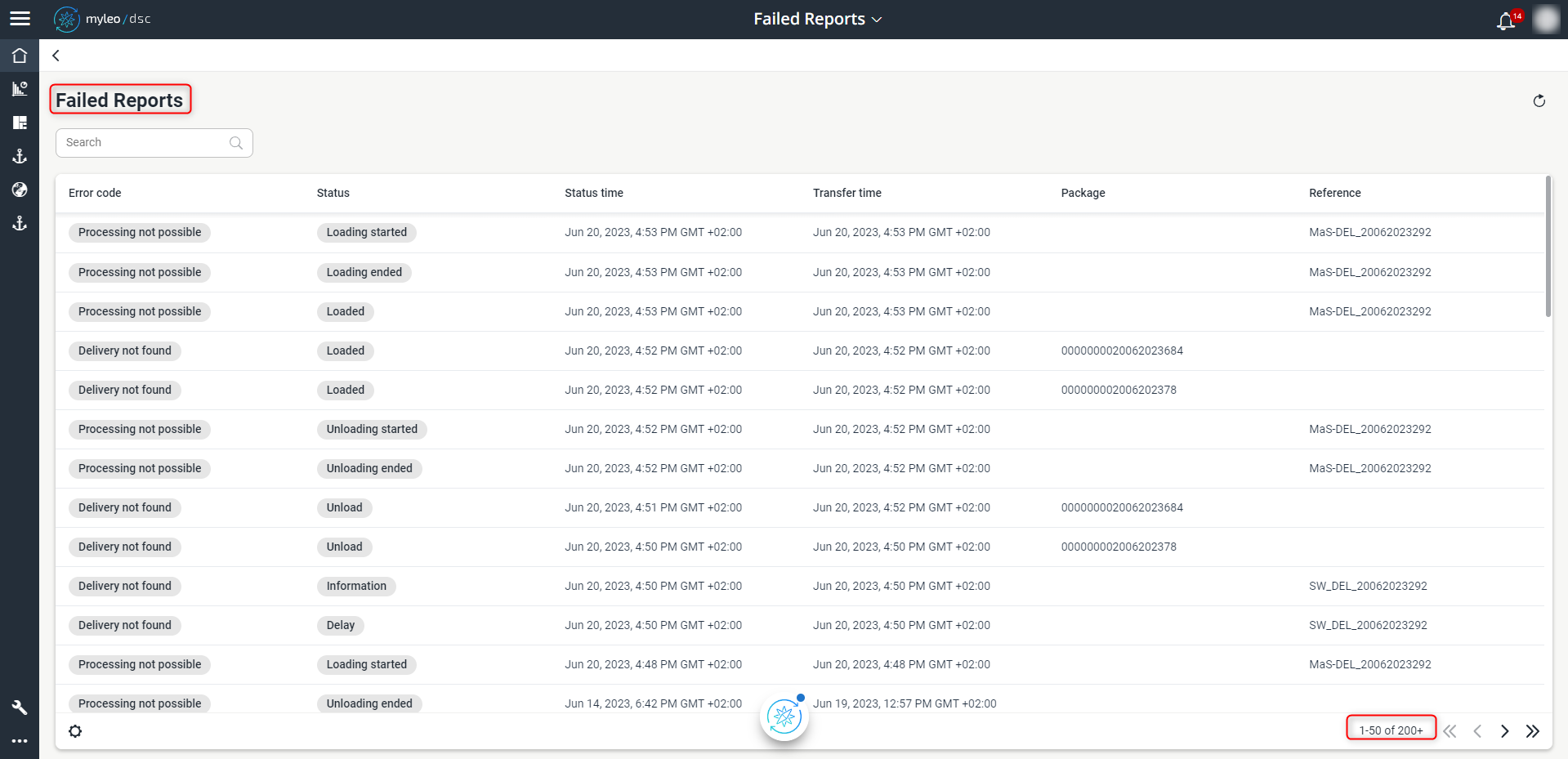
Maximum number of messages displayed
Tickets
Tickets
- Individual attachments of a ticket can now also be removed
- When removing an attachment, there is a safety query to avoid unintentional deletion
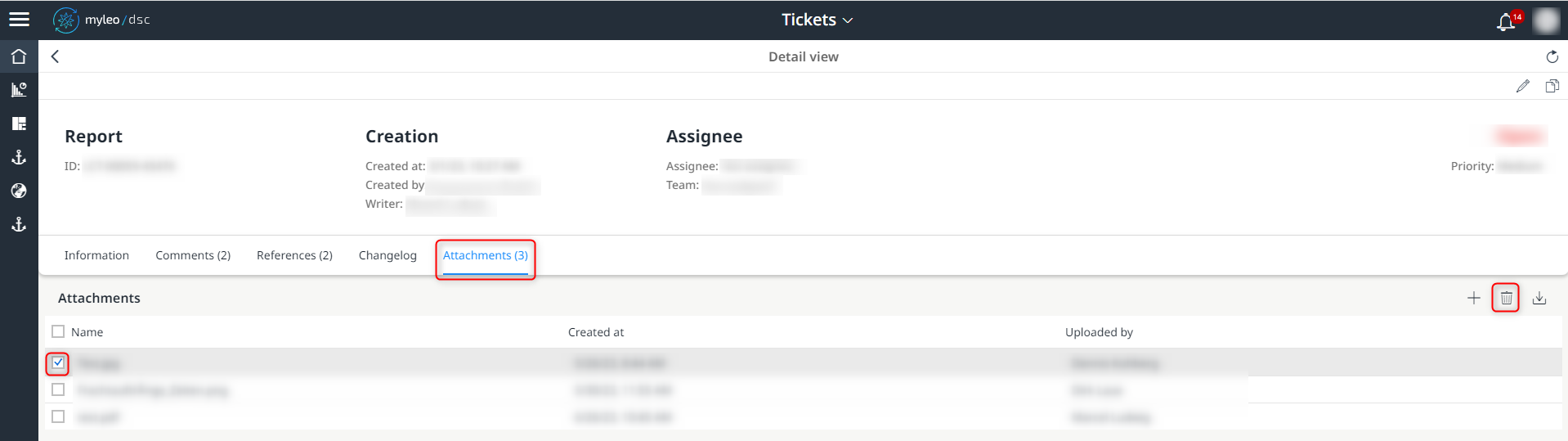
Removing the attachment of a ticket
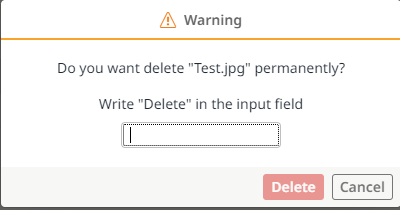
Security query
It is possible to remove the attachments individually, "multiple removal" is not possible.
Tickets
- Attachments can now be visualised in the browser
- After clicking on an attachment, it opens in a new tab
This innovation gives you more user-friendly access to the attached files.
Tickets
- The input options for creating or editing a ticket have been expanded and standardized
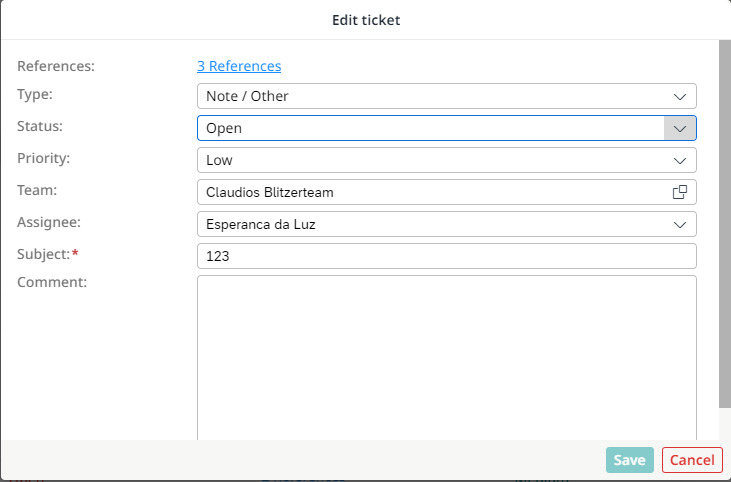
Standardized options for editing a ticket
- The function "Clone tickets" has been removed
Returnables Management
Returnables Settings
- It is now possible to jump directly from the Account detailview to the detailview of the associated business partner
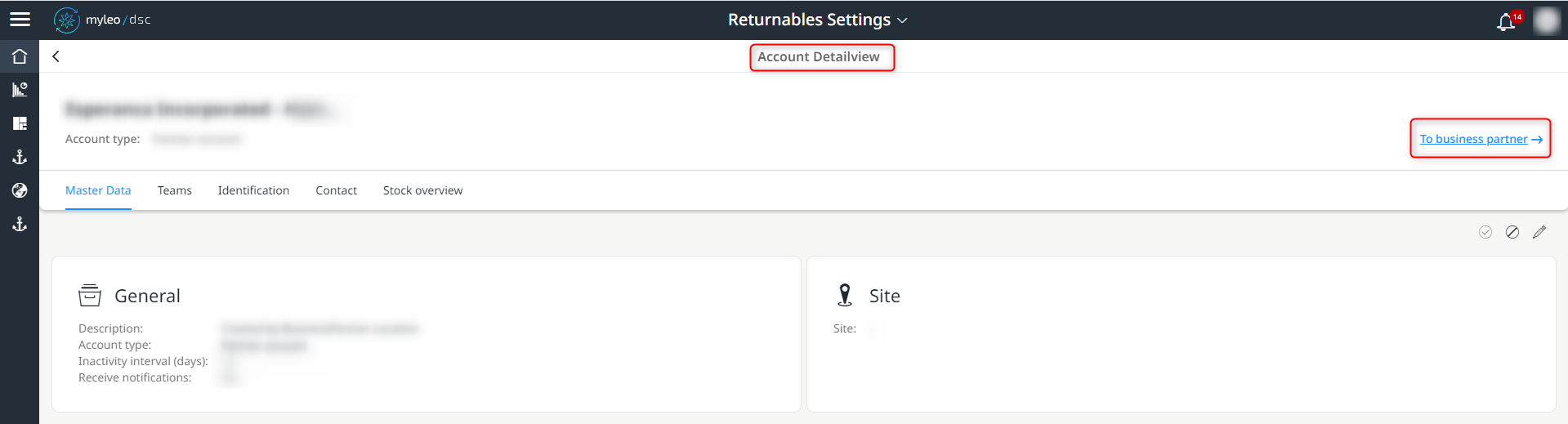
Direct link to the detail view of the associated business partner
Coordinations
- The sorting of the coordinations has been optimized
- The most recently created coordination now always appears in the top position within the worklist
In the case of coordinations with the same deadline, the one with the most recent creation date is displayed at the top of the worklist. All others are displayed in descending order according to the date of creation.
Order Overview
- When booking several receipts, the fields Account and Partner account from the first booking are taken over for further bookings
After clicking the "Book and continue" button, the fields are filled automatically.
Dispute Management
Dispute Management
- Up to 50 entries can now be corrected simultaneously
- The adjustments are then applied simultaneously to all selected entries
Dispute Management
- Mass release for more than 50 calculations is now possible through the extension of automatic release
Rail
Rail Settings
- The worklist of limit values now has a pagination if more than 50 entries are present
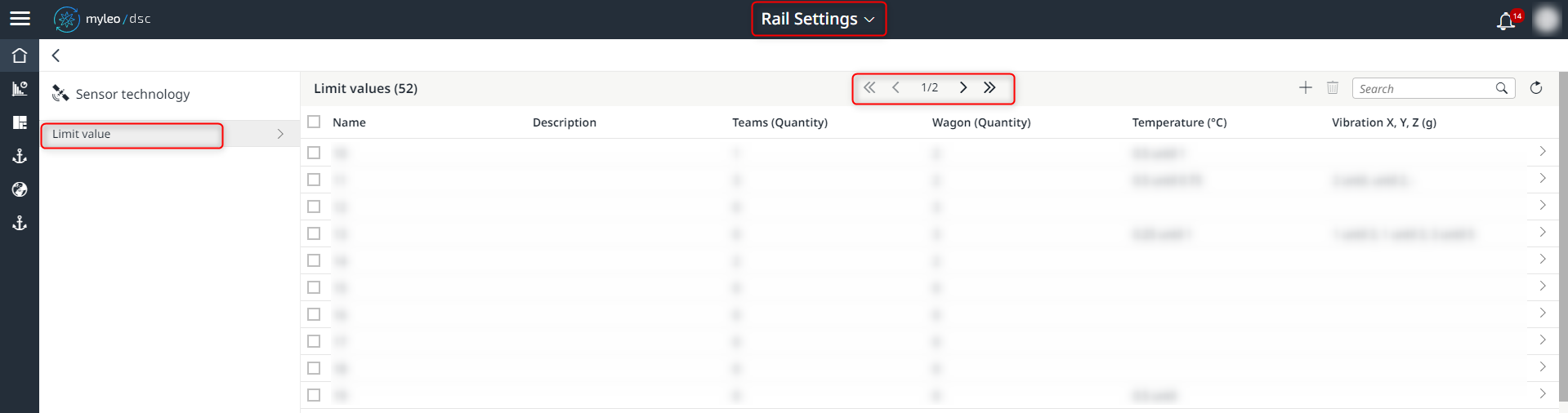
Pagination within the worklist of limit values
- The selection of teams and wagons is now done via a new selection window with filtering option if there are more than 50 entries in each case
Bugfixes
Launchpad
- Several errors in updating the number of unread messages have been fixed
Masterdata
Employees
- The incorrect display of initials in the detail view has been fixed
Slot Booking Administration
Booking List
- Inactive accounts can no longer be selected for a booking
- The filter as well as the search for references in the worklist has been optimized
Track and Trace
Freight Orders
- The value "ETA (loading)" is again correctly displayed on the freight order
Customer portal
- Deliveries are now also displayed correctly for the partners
Dispute Management
Dispute Management
- Bonus and malus are now correctly written to the freight costs
- A filter function has been implemented
- The freight cost calculation has been optimized
Updated over 1 year ago