
Release Notes 2023/09
31.05.2023
Enhancements
Masterdata
Access authorization
- A database with access authorizations is now available
- Entries can be added and deleted
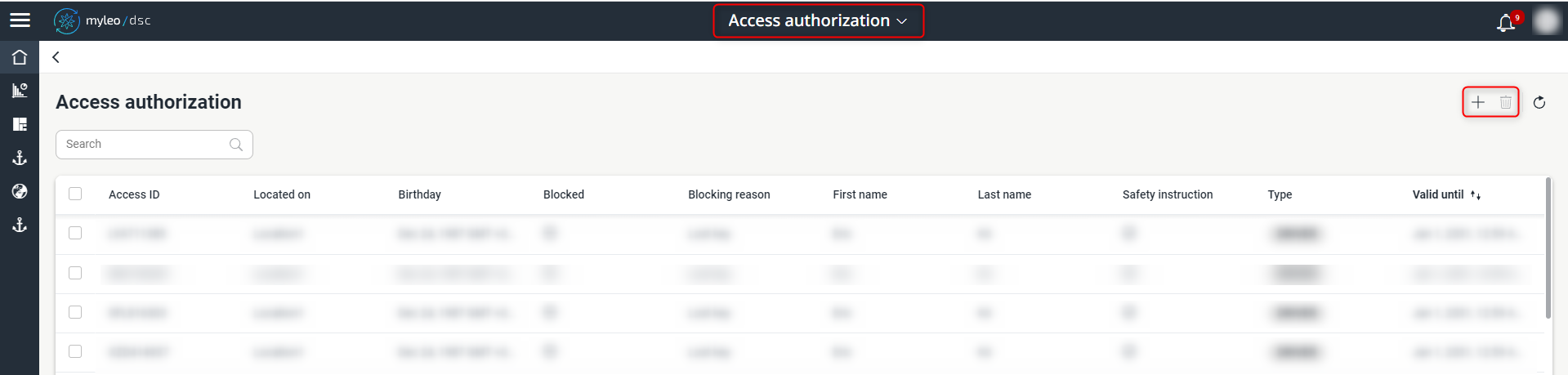
Access authorization
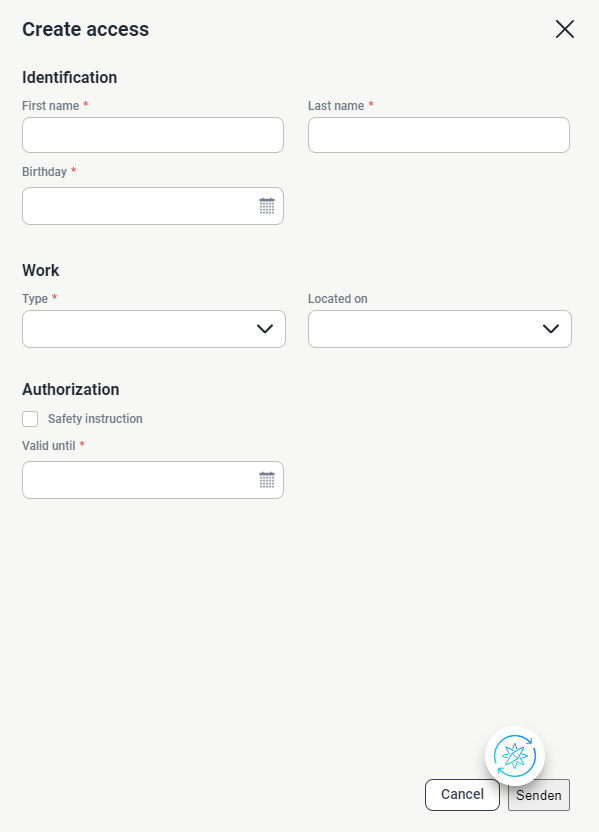
Add a data set
Slot Booking Administration
Booking Calendar
- It is now possible to create one-time links for each delivery
This function offers the possibility to have a slot booking with a delivery carried out by an external person who has not been authenticated in myleo /dsc.
Shipment Planning
- The view within the "Deliveries" tab has been revised and made clearer
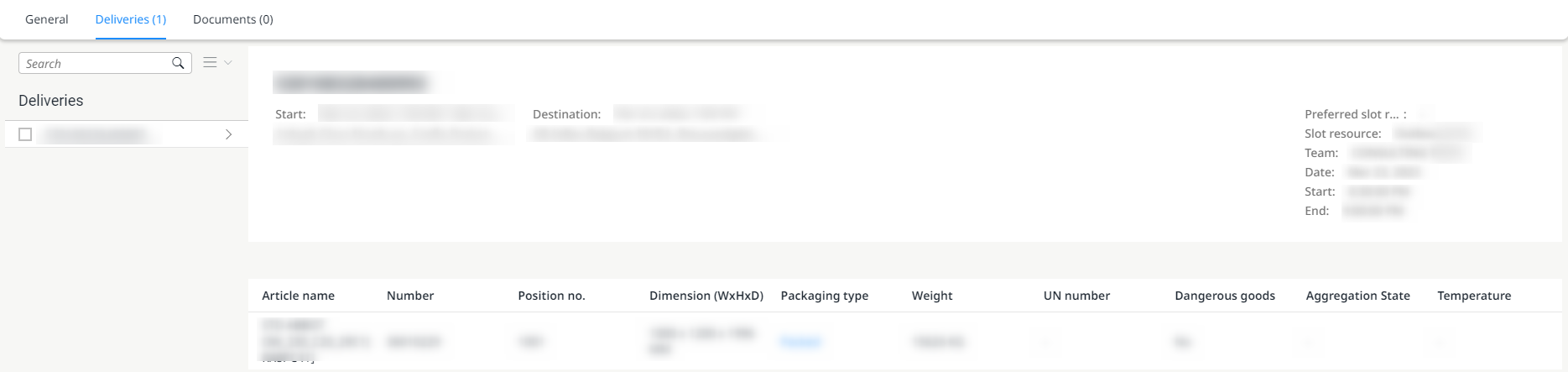
Clearer view of the "Deliveries" tab
Track and Trace
Deliveries
- The status time and transfer time of a delivery is now displayed directly in the history
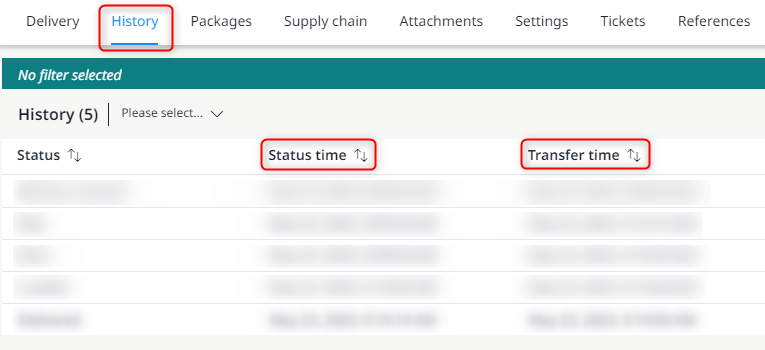
Display of the status time and transfer time within a delivery
Deliveries
- Within a delivery, it is also possible to filter according to the status time
Within the filter options, there is a choice between absolute and relative search.
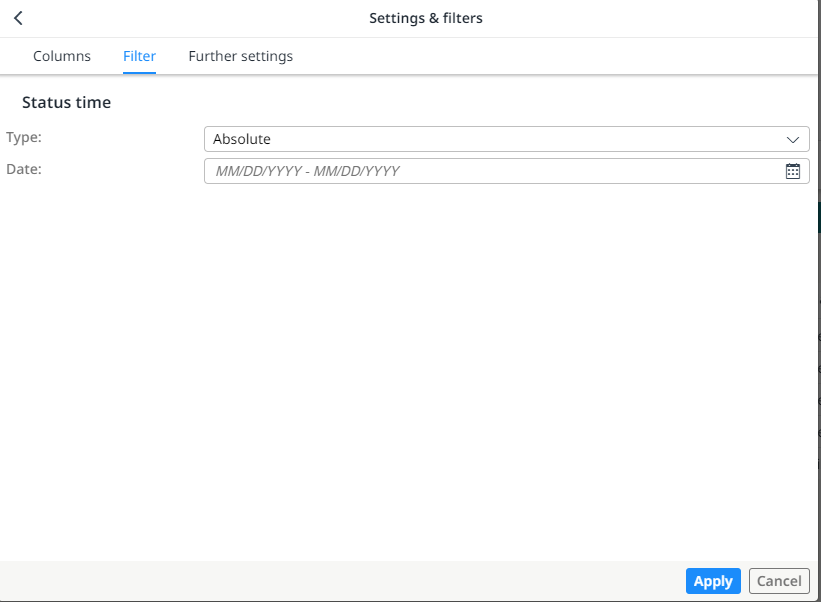
Filter options according to the status time
The status time is returned as the local time of the waypoint or address. If no address is given, the current waypoint is used. If an address is given, e.g. arrival, then the status time is applied to the time zone that results from the address.
Deliveries
- If there is only one external reference, it is displayed directly in the worklist
- In the case of several external references, they are displayed together
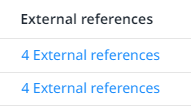
Display of several references in the worklist
In the case of only one external reference, you can see at a glance which one it is.
Deliveries
- When creating or editing a ticket, the corresponding references (deliveries / freight orders) are now displayed together and can be opened directly via a link
- The option "Create more tickets" is no longer available when creating a new ticket
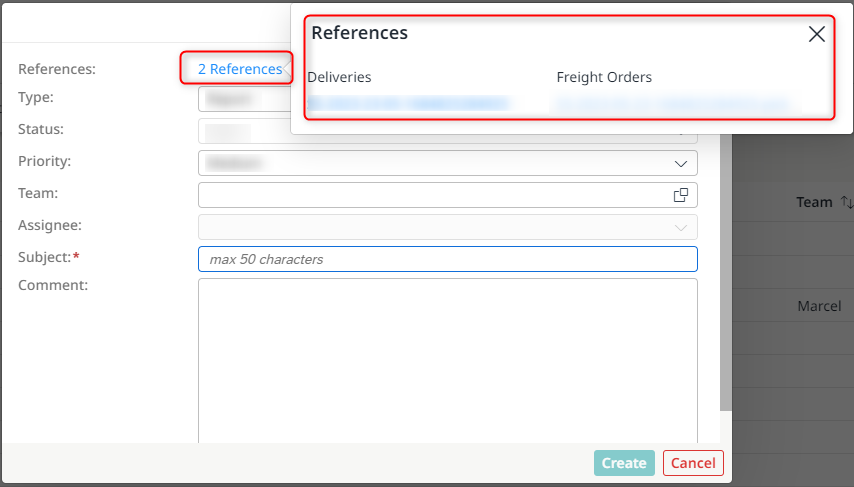
Display of the references as direct links
- After a ticket has been successfully created or processed, an additional message is transmitted
- The ticket can be opened directly via a link
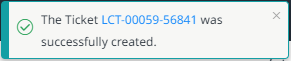
Message regarding the successful creation of a new ticket

Message regarding the successful editing of a ticket
Freight Orders
- The status time and transfer time of a freight order is now displayed directly in the history
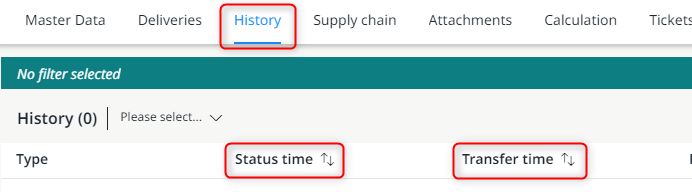
Display of the status time and transfer time within a freight order
Freight Orders
- Within a freight order, it is also possible to filter according to the status time
Within the filter options, there is a choice between absolute and relative search.
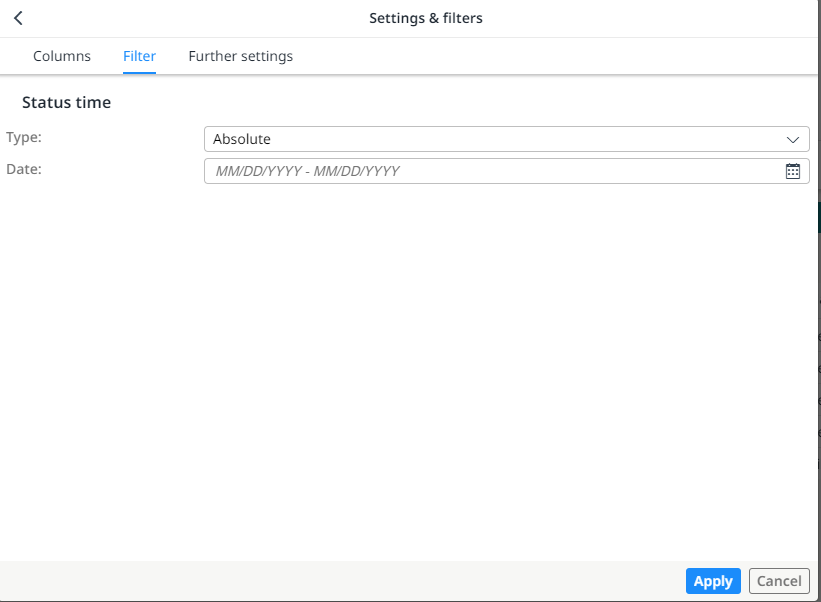
Filter options according to the status time
The status time is returned as the local time of the waypoint or address. If no address is given, the current waypoint is used. If an address is given, e.g. arrival, then the status time is applied to the time zone that results from the address.
Tickets
Tickets
- Attachments can now also be added to a ticket
- Possible are image files and pdf files
- Attachments can also be downloaded locally

New "Attachments" tab in the Tickets app
Yard Management
Yardlist
- A new column "calloffPriority" is available within the worklist

New column "calloffPriority" within the worklist
A vehicle can be assigned a priority through this. This makes automatic call-off possible immediately.
- In addition, a target location can now also be assigned to a vehicle
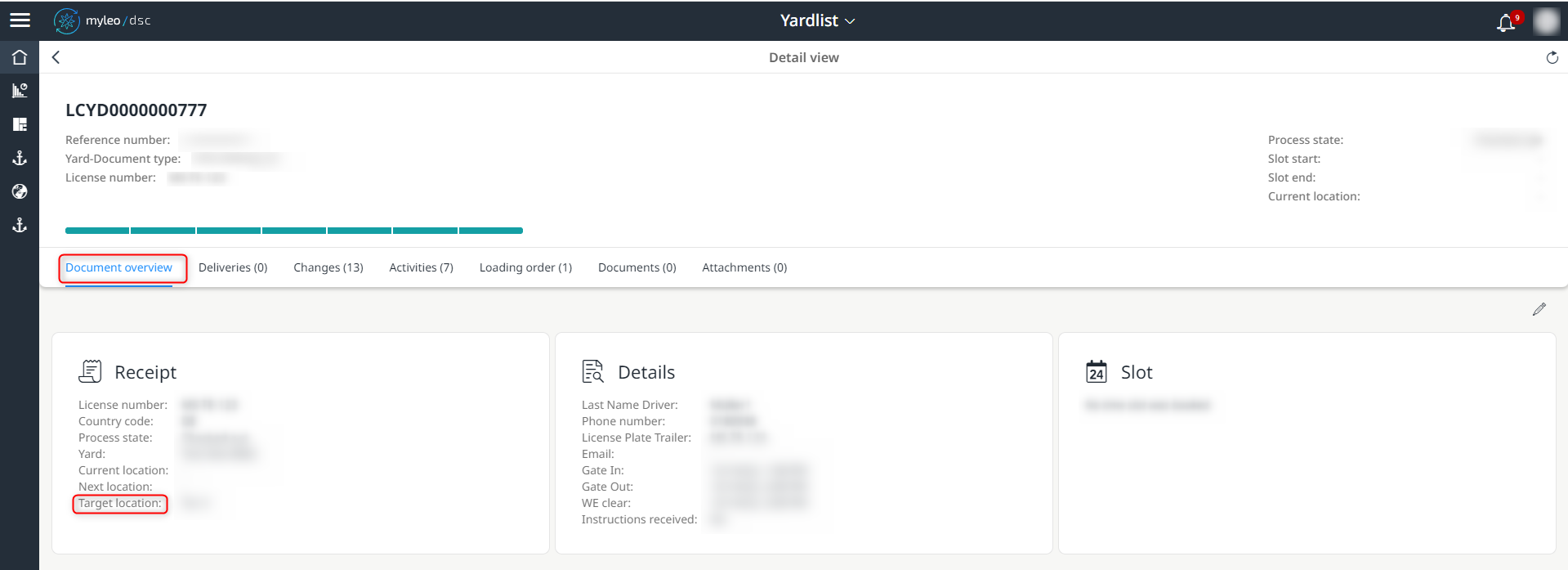
Target location within the document overview
Tendering
Tenders
- Metadata information is now displayed in the worklist as "Additional Information"

Display of the "Additional Information" column
This allows a decision of relevance to be made more quickly.
Tenders Carrier
- Metadata information is now displayed in the worklist as "Additional Information"

Display of the "Additional Information" column
This allows a decision of relevance to be made more quickly.
Notifications
Notifications
- Additional filter and search functions are now available within the Notifications app
- The context filters for the Teams App and Locations App have been removed

New filter and search functions
Bugfixes
Slot Booking Administration
Slot Settings
- Hidden metadata is no longer displayed at the slot
Track and Trace
Deliveries
- The delivery status is now aligned with the time status (recipient) so that they always have the same value
Dispute Management
Dispute Management
- When accepting more than 50 freight charges, a busy indicator is now displayed
Updated over 1 year ago