
Release Notes 2025/14
01.10.2025
Enhancements
Yard Management
Task
- When creating a new order, it is now possible to set its status directly to Approved
- When clicking on the arrow on the right-hand side of the Create button, you can now also select the option Create+ Approve
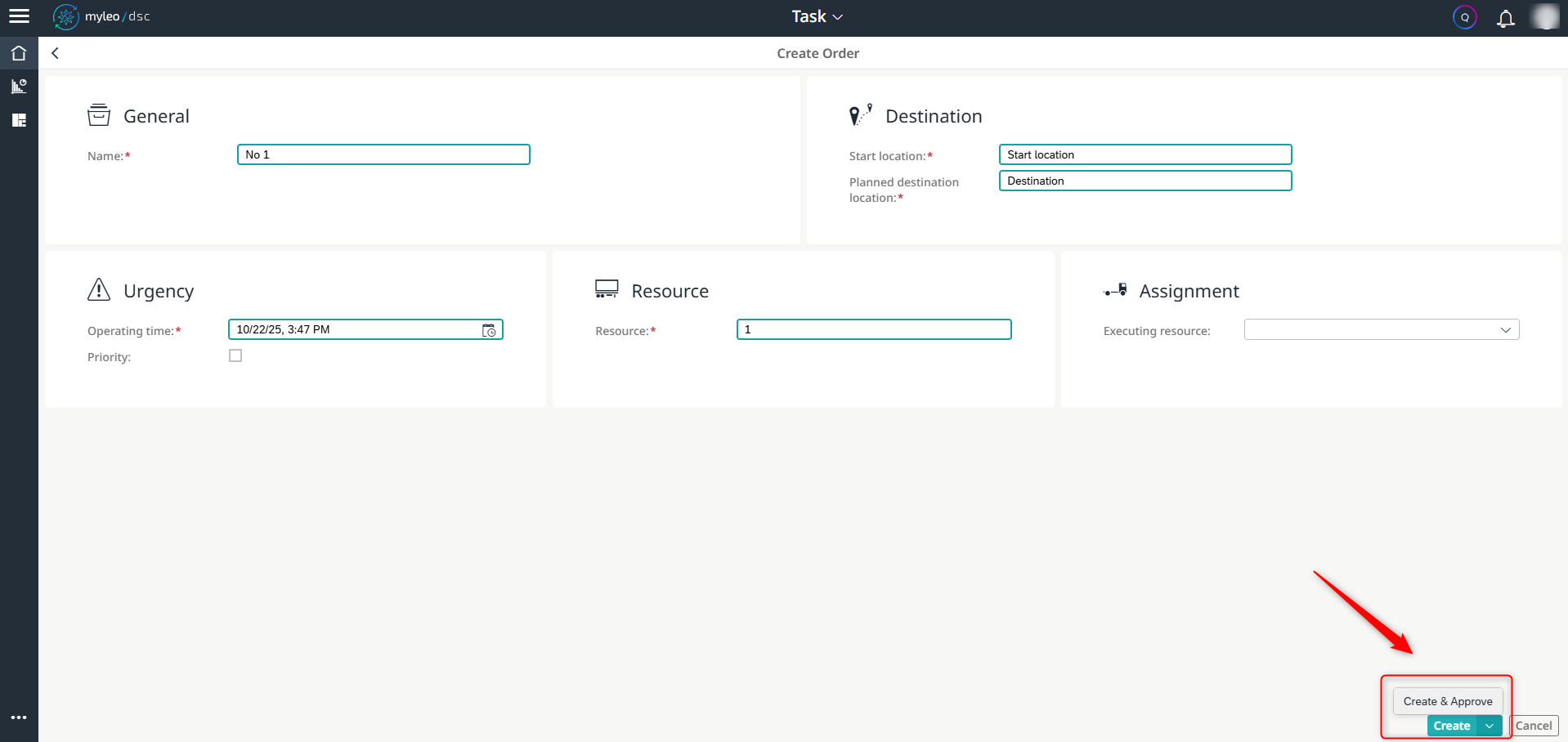
Create and approve an order at the same time
The Created status is skipped as a result.
The newly created order is displayed in the worklist as follows:

Display of the newly created and simultaneously approved order in the worklist
Task
- When creating an order, the vehicle carrying out the order can now also be added at the same time
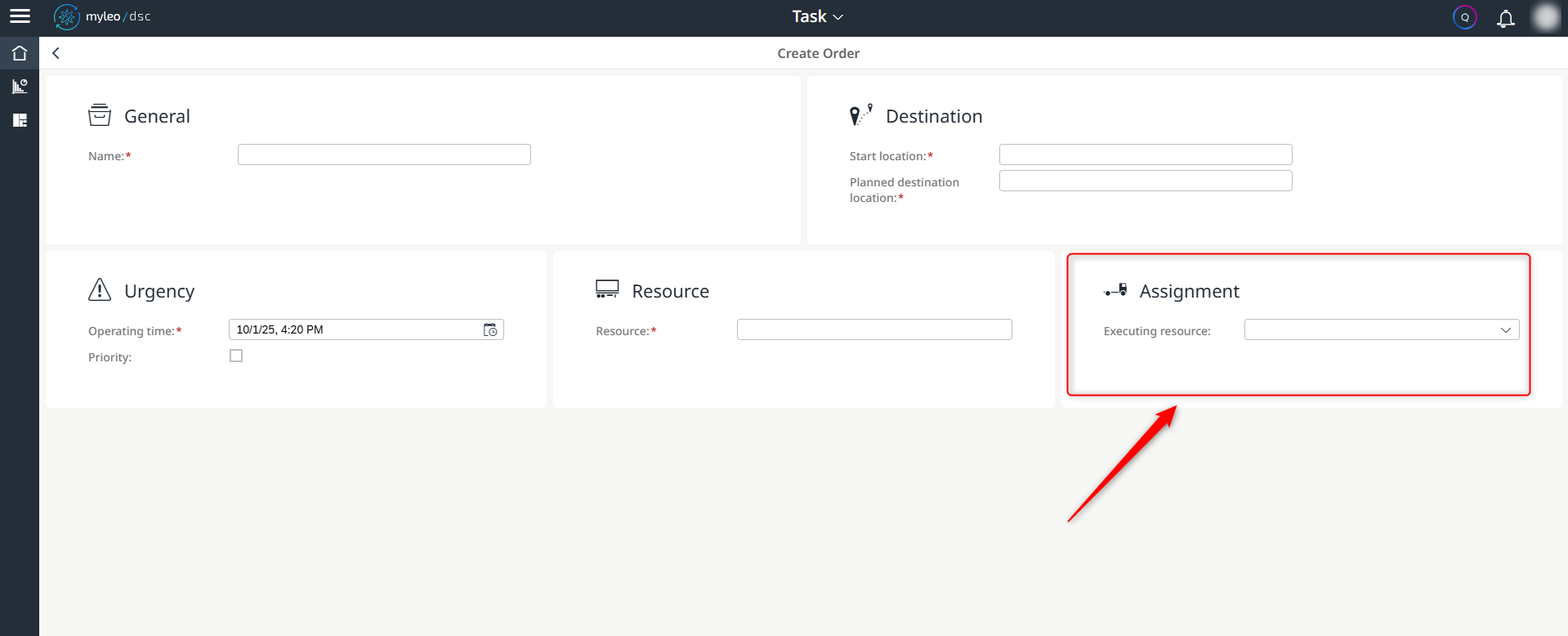
Assignment of the executing vehicle when creating an order
In this case, the newly created order is not released immediately. This function is used for preliminary planning, among other things, so that the order can be released later.
- An executing vehicle can also be assigned to orders that have already been approved
- In the detailed view of the order, after selecting the Start button, the Assign option opens
- In the subsequent pop-up, the executing vehicle can be selected from the drop-down list box
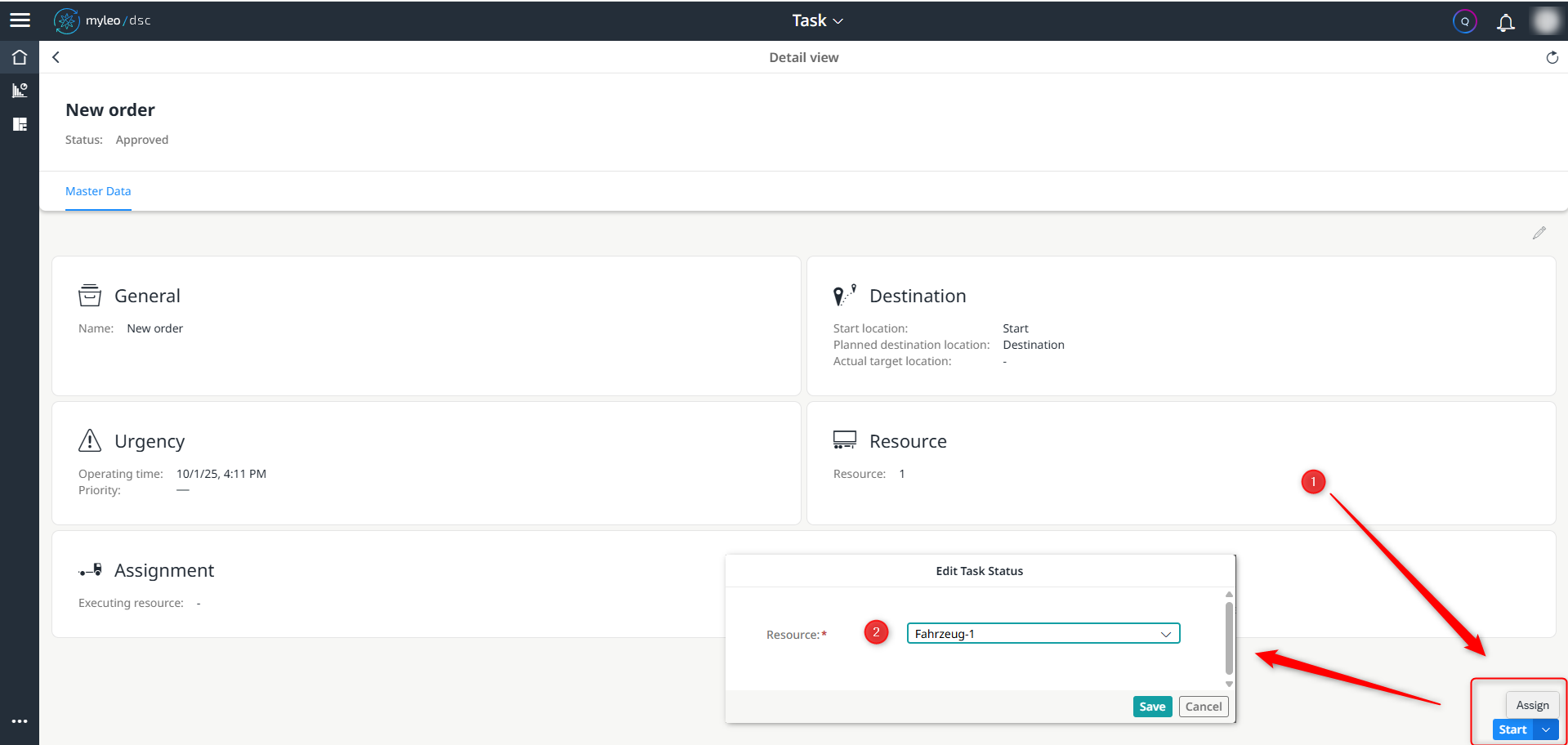
Assignment of an executing vehicle for an order that has already been released
Task
- New overview guides are available within this app.
- The following tours are available:
- Overview of functions relating to the Task app
- Function overview regarding the detailed view of Task app
- The following tours are available:
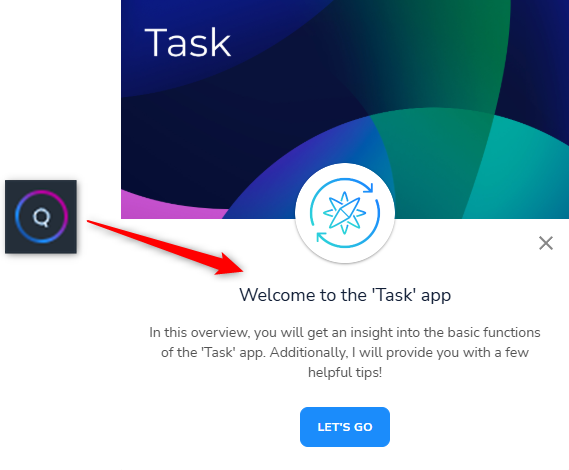
Start of an overview guide within the Task app
The overview guides explain all the important functions that are relevant for this app.
Updated about 1 year ago
What’s Next
Did this page help you?