
Release Notes 2024/05
20.03.2024
Enhancements
Track and Trace
Deliveries
- In the detailed view of a delivery, the entries within the worklist in the History tab are now sorted by default according to the transfer time

Sorting depends on the transfer time
Freight Orders
- In the detailed view of a freight order, the entries within the worklist in the History tab are now sorted by default according to the transfer time

Sorting depends on the transfer time
Slot Booking
One-time links
- From now on, one-time links with one or more deliveries can no longer be edited in the one-time links app
- One-time links without deliveries can still be processed
Tickets
Tickets
- To get a quick overview when a ticket was last processed, there is now this new column:
- Created at
- In addition, the ticket editor can be displayed in the following column:
- Created by
The worklist can be sorted in ascending or descending order within the two new columns (for less than 200 entries).

New filter options within the worklist of the Tickets app
- With the help of a new filter, for example, a ticket that has not been processed for a long time but still has the status Open / In progress can be found quickly

New filter option according to the last update of a ticket
Advises
Advises
- The overview guides have been optimized within this app
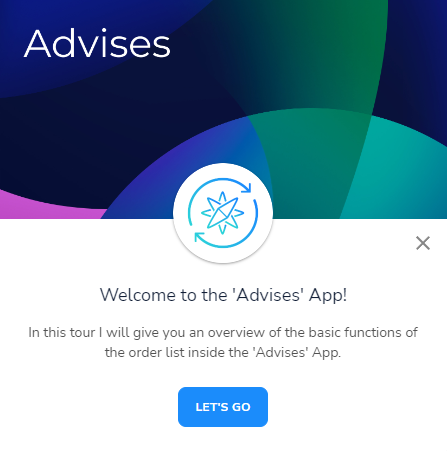
Start an overview guide within the Advises app
Yard Management
Yardlist
- Two new fields are now available when editing a yard document:
- Container number
- Trailer Identification
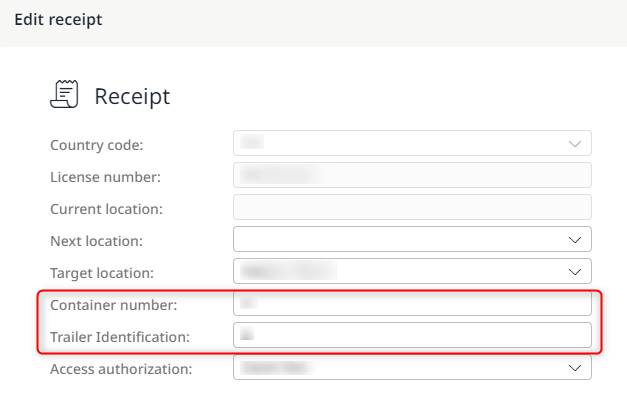
New editable fields in the yard receipt
Dispute Management
Dispute Management
- As a user, it is now possible to display the freight costs that have already been accepted
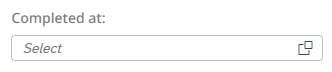
New filter to display accepted freight costs
This function makes it possible, for example, to view the freight costs that have been released on a particular day.
Dispute Management
- Tickets for a freight order can now also be created or edited in the detailed view of freight costs

Button for creating or editing a ticket
If further work is required or tickets need to be finalized while the freight costs are being clarified, it is no longer necessary to navigate to the relevant freight order.
General information
- When selecting the language Serbian on the terminal, the English keyboard is now displayed instead of the Cyrillic keyboard
Bugfixes
Slot Booking
Shipment Planning
- An error when downloading documents has been fixed
Yard Management
Documents
- The formatting of the individual fields in the document view of yard receipts has been revised and optimized
Updated over 1 year ago
What’s Next
Did this page help you?