
Release Notes 1.0.65
14.12.2022
Enhancements
Masterdata
Sites UI
- Individual employees can now be added to a location
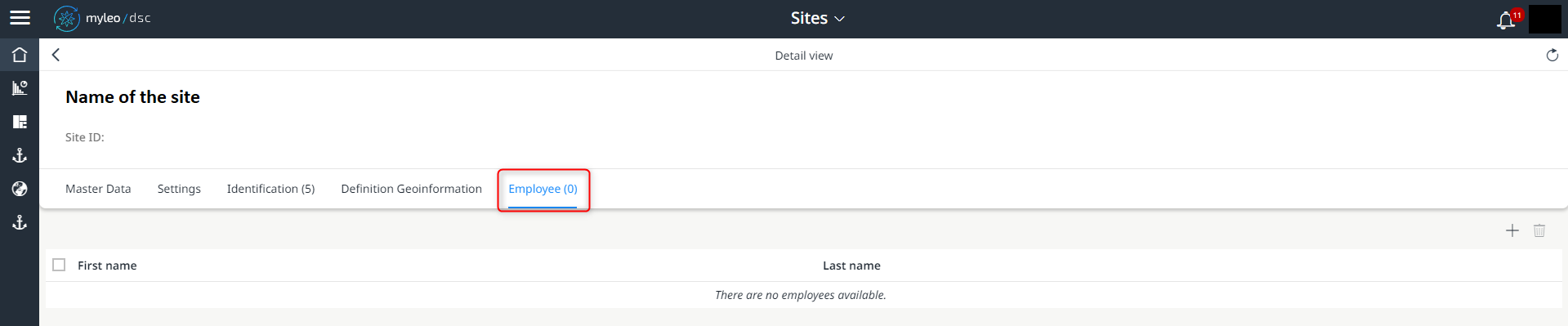
Employees inside the Sites UI
Employees UI
- The teams assigned to the employee are now displayed in the detail view
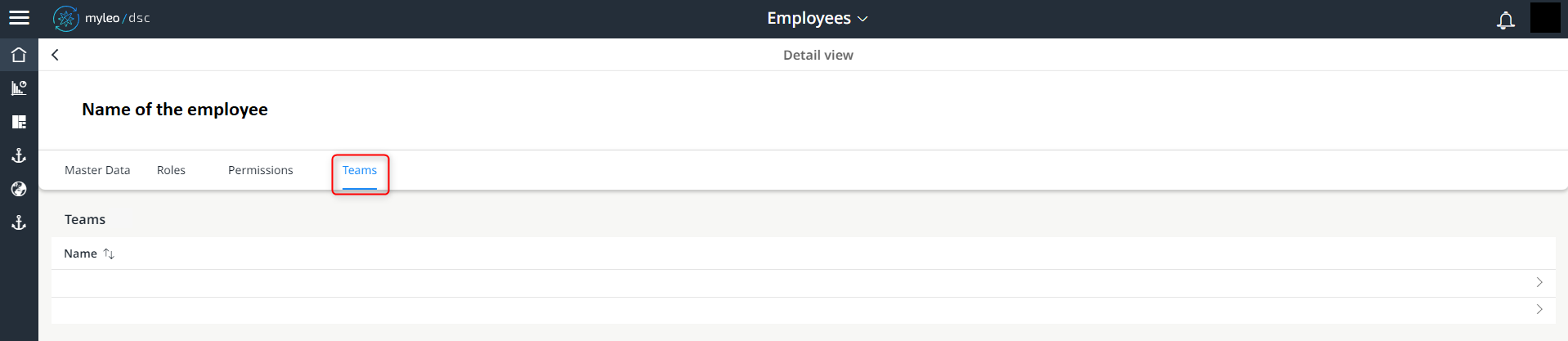
Displayed teams to which the employee belongs
Slot Booking Administration
Booking Calendar UI
- It is now possible to jump directly to the detail view of the yard receipt
- For this purpose, a QR code has been added that can be used as an "entry ticket" for a check-in via Terminal UI
Booking List UI
- Inside the Track and Trace and Yard UIs, the deliveries status and times can be determined
- Additionally, these are displayed in the detailed views of the booking list
Shipment Planning UI
- The stored metadata on the freight order can now be displayed as a preview
Track and Trace
Delivieries UI
- The display of document references is now limited to max. 50 characters
- The display of identification of a package is limited to max. 30 characters
- The tooltip shows the entire designation
Delivieries UI
- The plausibility check for the detection of automatic journey acceptance has been further developed.
Tickets
Tickets UI
- References are now displayed bundled within one tab
- The details of a reference can now be called up directly
- It is now possible to jump directly into the reference
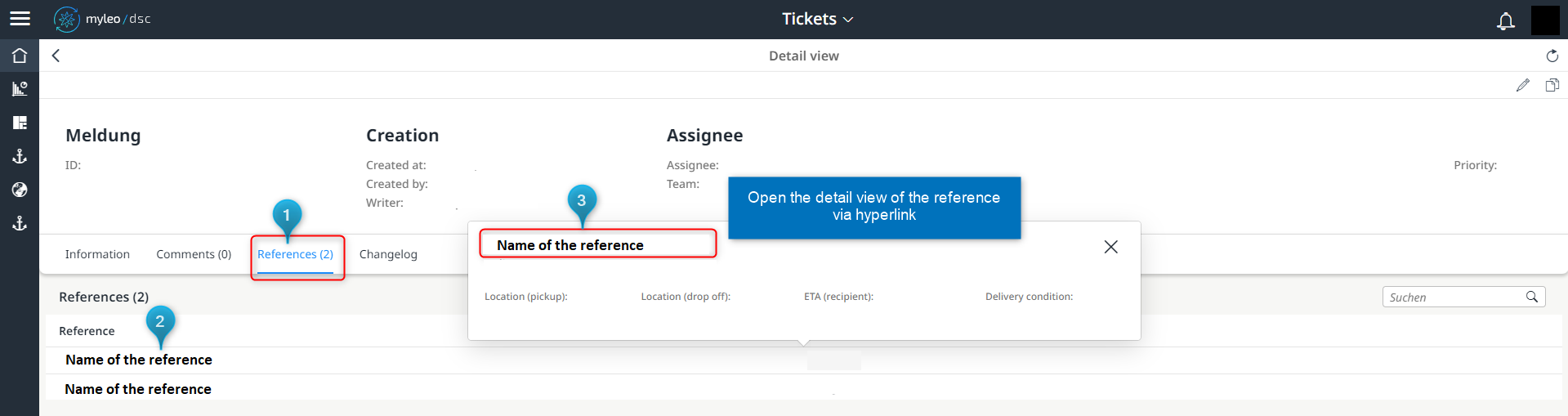
Displayed references
Tickets UI
- Tickets can now be prioritized and filtered
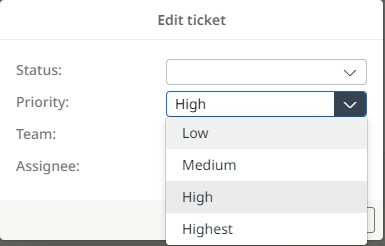
Possible priorities of a ticket
Advises
Advises
- The status display in the header of the UI has been reworked
- The exact number is displayed in the worklist.
- If there are more than 200 entries, "200+" is displayed initially

Changes in the displayed number of orders
Dispute Management
Dispute Management UI
- The following contents are immediately displayed in the freight orders and can be filtered:
- Location loading (name)
- Location Loading (number)
- Location recipient (name)
- Location recipient (number)
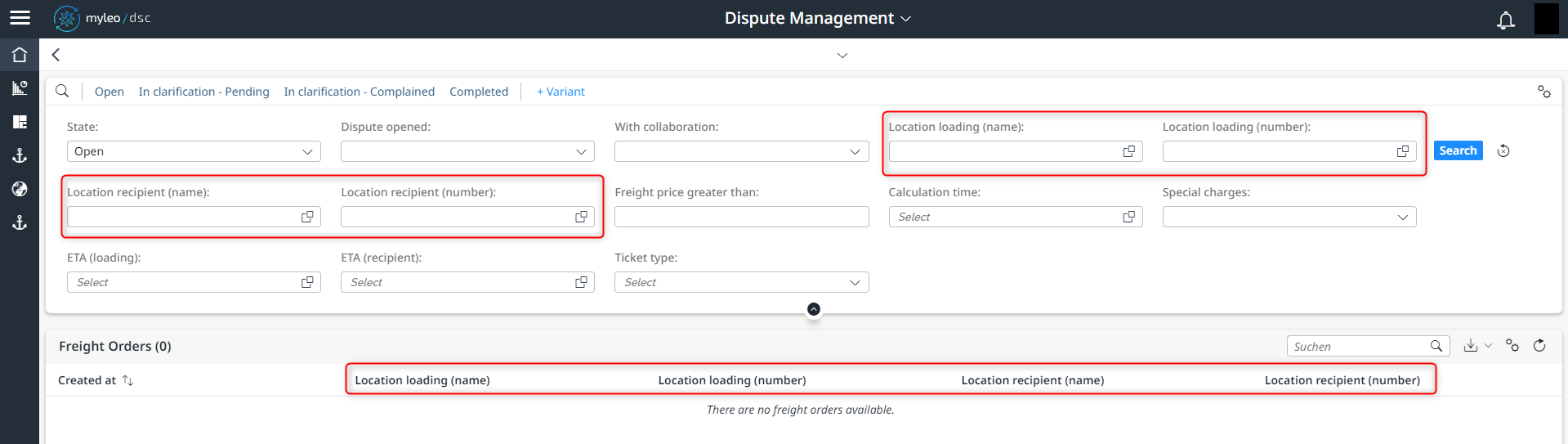
New content about the locations
Updated over 1 year ago
What’s Next
Did this page help you?